

This page is about bringing your own model. On Chainloop SaaS, Chainloop configures the AI provider and the model for your organization automatically, and you do not need to do anything. Bring your own LLM provider key is only available on Chainloop’s Enterprise paid plan.
Overview
Chainloop uses Large Language Models (LLMs) to power its AI features, for example:- Ask Chainloop, the natural-language assistant on the web and in Slack.
- LLM-driven policies and the
chainloop.evidence_promptbuiltin function. - Automatic risk assessment and auto-remediation of vulnerability findings.
- The AI session score of AI coding sessions.
- AI Code Analysis of your repositories.
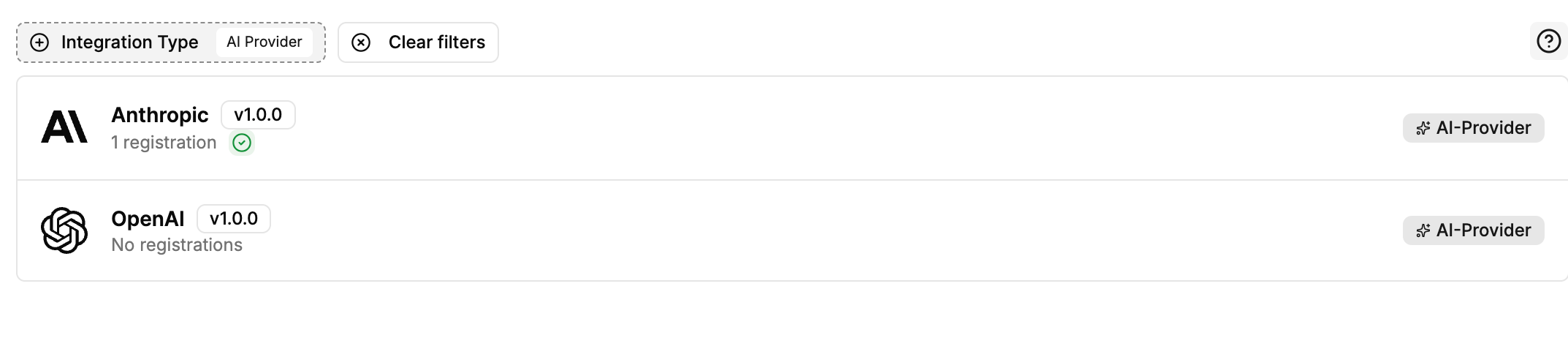
Supported Providers
Chainloop supports two provider types: Anthropic and OpenAI. Each one can connect to the public API of the vendor, or to a custom endpoint that serves a compatible API.
You choose the model with the Model Name field. Leave it empty on the public Anthropic or OpenAI API to use the default model. With a custom endpoint, the model name is required.
Model Requirements
Any model works if it has enough capabilities for the AI features. The model and the endpoint must support:- A context window of one million tokens.
- Tool calling, for Ask Chainloop.
- Strict structured output,
response_formatwith ajson_schemaon OpenAI-compatible endpoints, for evidence evaluation and Slack replies. - The Responses API (
/responses) on OpenAI-compatible endpoints, for the AI agents and AI Code Analysis.
Anthropic
Register an Anthropic integration to use Claude models. Registration fields:Anthropic API
Leave Endpoint empty. Requests go tohttps://api.anthropic.com. Model Name is optional.
Claude on Microsoft Foundry
Enter the Anthropic endpoint of your Foundry resource, without/v1, for example https://<resource>.services.ai.azure.com/anthropic. Use the API key of the Foundry resource.
Set Model Name to the name of your Claude deployment. Foundry serves Claude under deployment names that you choose and has no model list, so Chainloop cannot find the model without it.
Anthropic-compatible gateway
Use this option for OpenRouter, gateways such as Bifrost or LiteLLM, an internal proxy or a regional front door. Enter the base URL to which Chainloop appends/v1/messages. Do not include /v1 yourself.
- For a gateway that routes by a path segment, such as Bifrost, include that segment. If the messages endpoint is
https://gateway.example.com/anthropic/v1/messages, enterhttps://gateway.example.com/anthropic. - For a single-provider proxy, a regional front door or a gateway that routes by model, such as LiteLLM, the host is usually enough, for example
https://gateway.example.com.
OpenAI
Register an OpenAI integration to use OpenAI models, or any model behind an OpenAI-compatible endpoint. Registration fields:OpenAI API
Leave Endpoint empty to use the public OpenAI API. Model Name is optional: leave it empty to use the default model, or enter another OpenAI model.Azure OpenAI (Microsoft Foundry)
Enter the host of your resource without a/v1 suffix, for example https://<resource>.openai.azure.com. Chainloop builds the Azure deployment URLs for you.
Set Model Name to the name of your deployment.
OpenAI-compatible endpoint
Use this option for OpenRouter, gateways such as Bifrost or LiteLLM, or a self-hosted model. Enter the full base URL, including the API version segment if the endpoint uses one, for examplehttps://openrouter.ai/api/v1. This is the same value as the OPENAI_BASE_URL environment variable of the OpenAI SDKs. Chainloop appends request paths such as /models and /chat/completions to it.
Set Model Name to the exact model ID that the endpoint serves, for example moonshotai/kimi-k3 on OpenRouter.
Replace the Managed Connection
When your organization has its own key for at least one AI provider, an admin can remove the AI connections that Chainloop manages. All AI features then use your connections. Without a key of your own, the managed connections cannot be removed.Related Resources
- How to run LLM-driven policies: guide on using AI-powered prompts to evaluate evidence
- Builtin functions reference: the
chainloop.evidence_promptfunction for custom Rego policies - Ask Chainloop: the natural-language assistant
- Integrations: general integration setup instructions